Setting Up EDID Emulation
EDID emulation ensures consistent display identification across all connected outputs.
EDID (Extended Display Identification Data) is a data structure that every display sends to the GPU over the video cable, describing its capabilities -- supported resolutions, refresh rates, color depth, and timing parameters. The GPU uses this information to decide what signal to output. In multi-display setups, different displays may report different capabilities, which can cause the GPU to choose mismatched resolutions or refresh rates across outputs. EDID emulation solves this by overriding the native EDID on every channel with a single, known-good EDID file. This is particularly important before setting up mosaic grids or hardware sync, where all outputs must operate at identical settings.
By forcing the same EDID on every channel, you guarantee that the GPU treats all outputs identically -- regardless of the physical display connected. Follow the steps below to download an EDID from one display and apply it to all channels.
In WATCHPAX Config, select a single display from the list that has the desired resolution and refresh rate capabilities. Click the Download EDID option in the toolbar. The EDID file will be saved to your local machine through the browser's download dialog. This file contains the display's identification data, including its supported resolutions and timing information. You will upload this same file to all channels in the next steps.
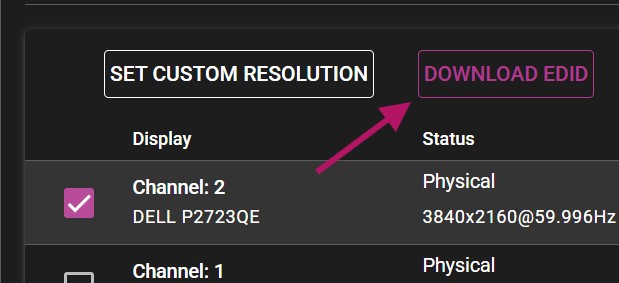
The web browser may consider the downloaded file insecure and might require additional actions to approve it. Check your browser's download bar or notification area if the file does not appear immediately.
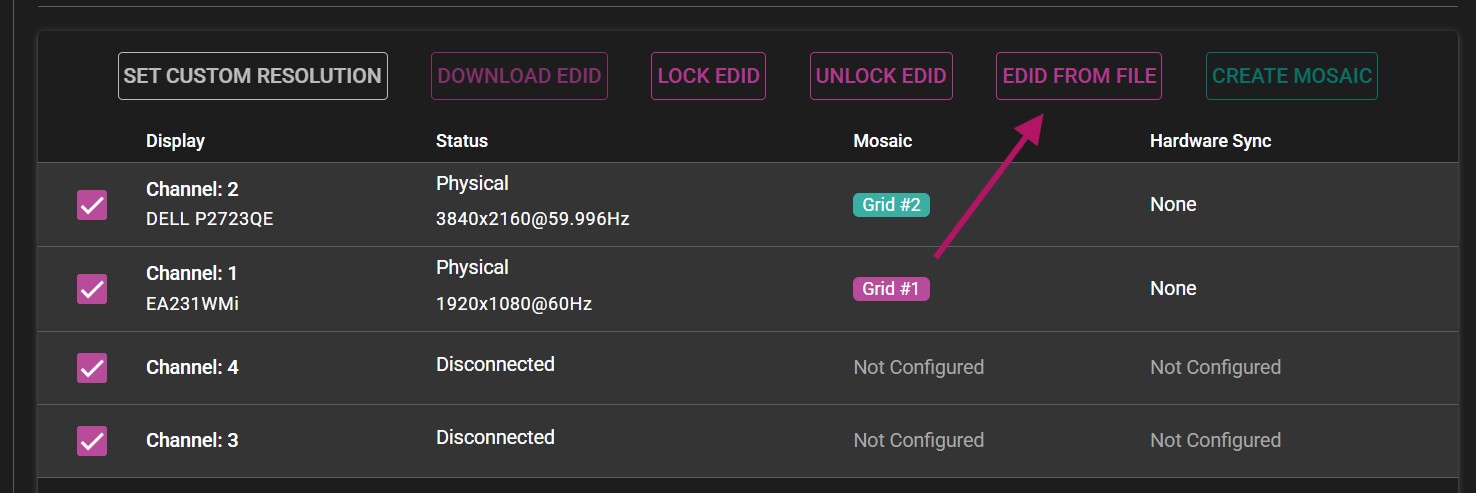
Back in WATCHPAX Config, select all display channels in the list. You can hold Ctrl and click each channel, or use a select-all option if available. Once all channels are highlighted, click the EDID From File option in the toolbar. This tells the system you want to override the native EDID on every selected channel with an EDID file from disk.
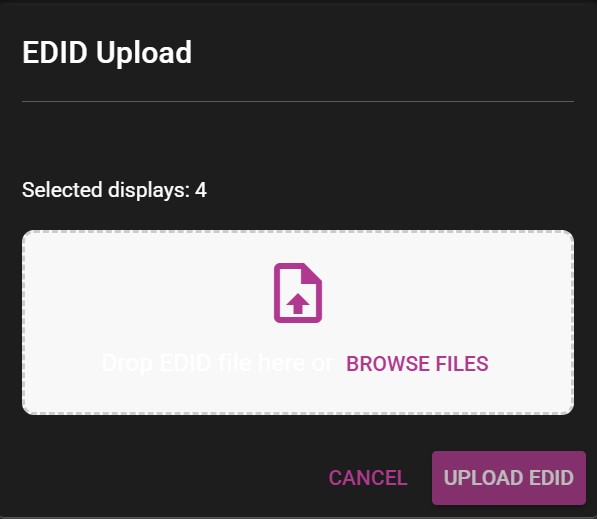
A new menu will appear, allowing you to upload the previously downloaded EDID file to all selected display channels. Click Browse and navigate to the EDID file you saved in Step 1. Select the file and confirm the upload. The system will write the EDID data to each channel, forcing them all to report identical display capabilities to the GPU.
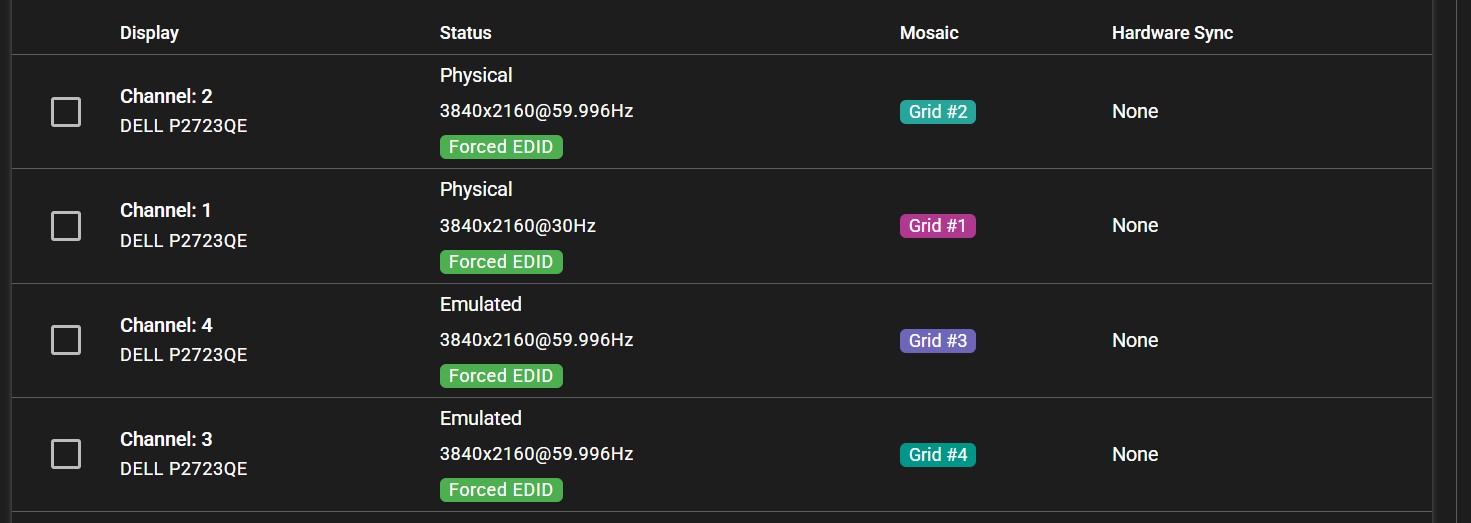
After the upload completes, all channels should now show the Forced EDID label under their status in the WATCHPAX Config display overview. This confirms that the native EDID has been overridden and every output is using the same display identification data. If any channel does not show the Forced EDID label, repeat the upload process for that channel individually.