
Connectors
Overview of the WATCHPAX 64 front and rear panel connectors. Use the numbered callouts in the rear image together with the reference tables below.
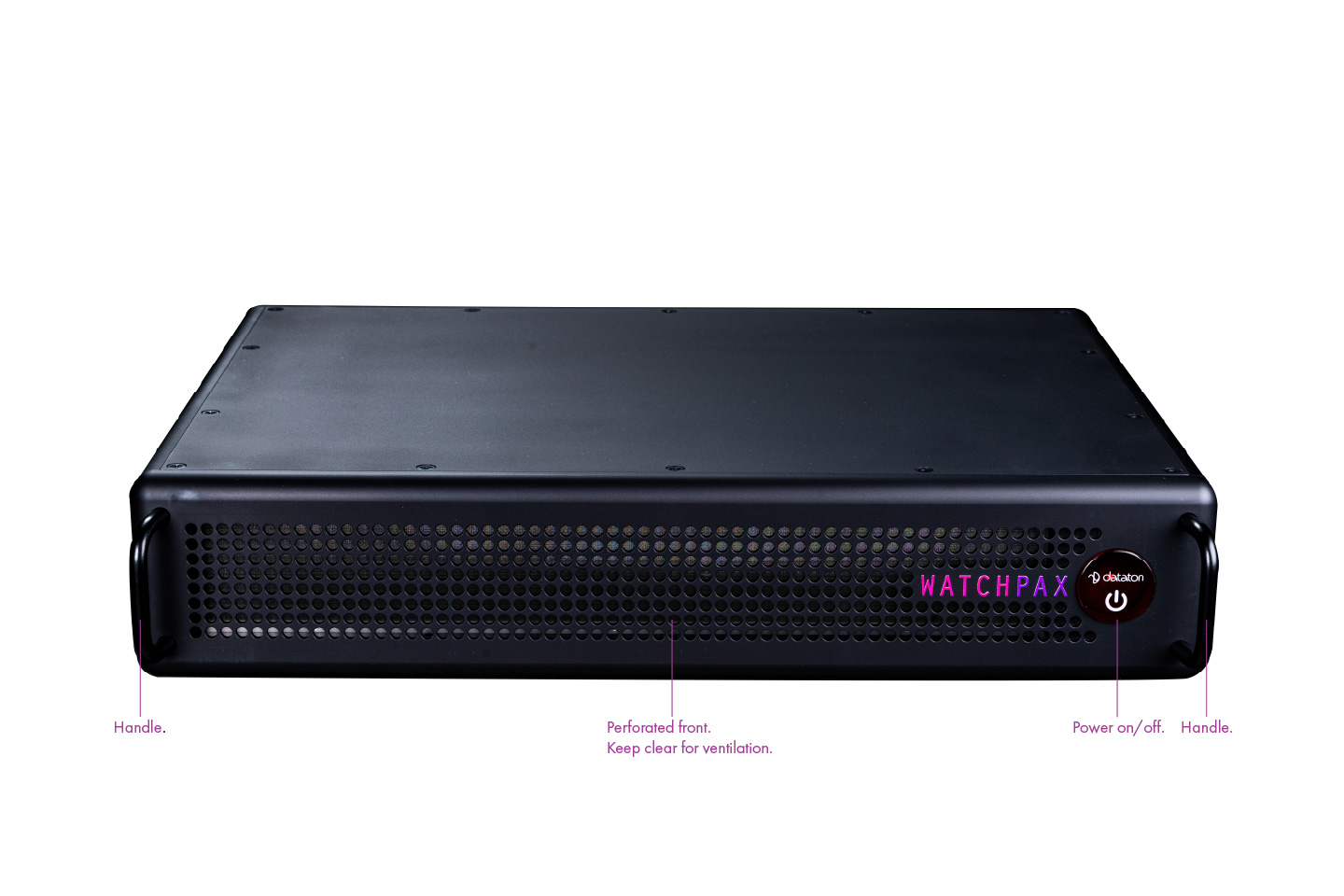
Front Panel
- Power button for power on/off.
- Perforated intake area for cooling air intake. Keep this area clear.
- Handles for installation handling.
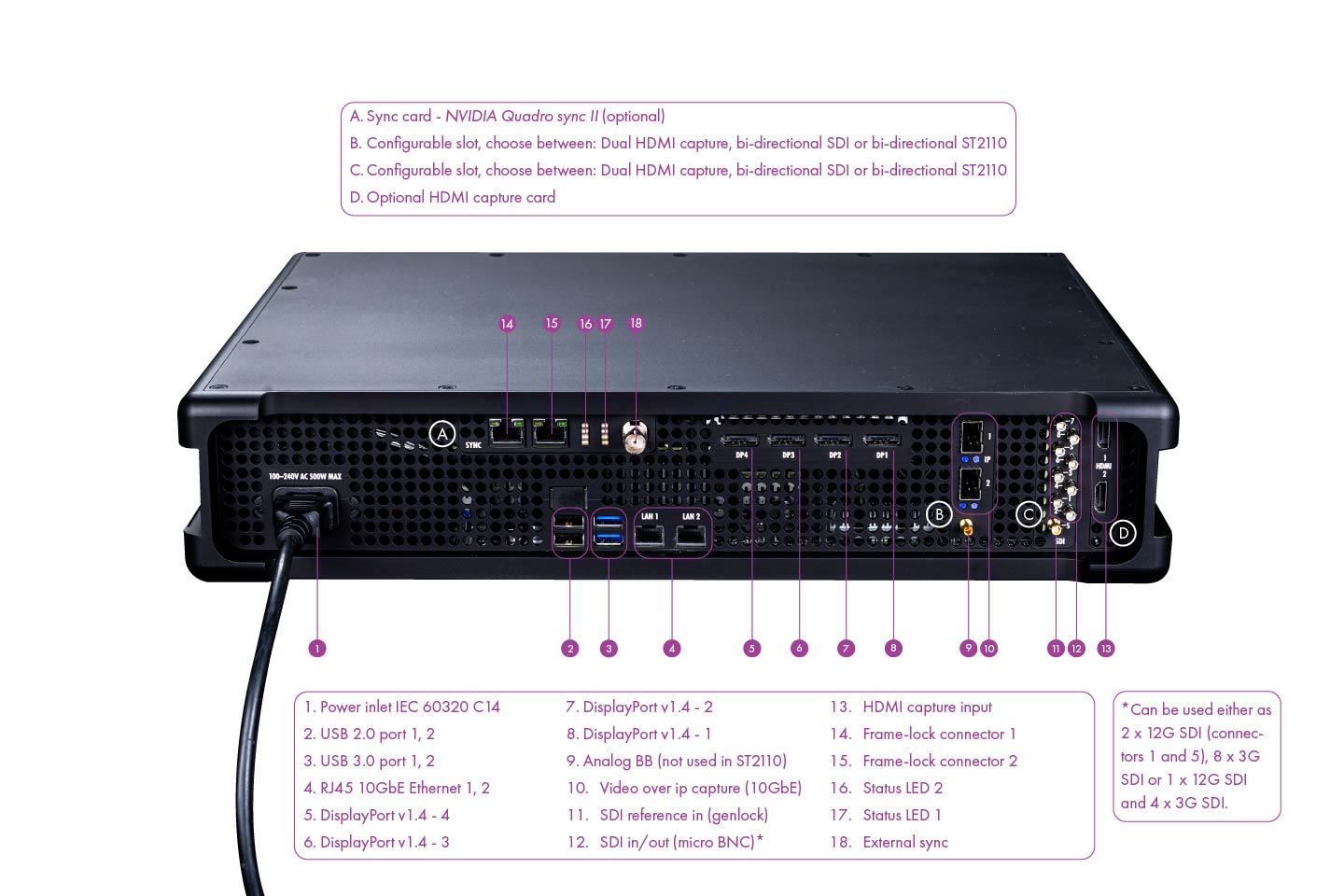
Rear Panel Connector Reference
| No. | Connector / Label | Function | Notes |
|---|---|---|---|
| 1 | Power inlet IEC 60320 C14 | AC mains power input | 100-240V AC, 50/60Hz |
| 2 | USB 2.0 port 1, 2 | Peripheral connection | Keyboard, mouse, USB media |
| 3 | USB 3.0 port 1, 2 | High-speed peripheral connection | External storage or capture peripherals |
| 4 | RJ45 10GbE Ethernet 1, 2 | Network interface | Used for network communication and IP-based workflows |
| 5 | DisplayPort v1.4 - 4 | Video output channel 4 | Display output |
| 6 | DisplayPort v1.4 - 3 | Video output channel 3 | Display output |
| 7 | DisplayPort v1.4 - 2 | Video output channel 2 | Display output |
| 8 | DisplayPort v1.4 - 1 | Video output channel 1 | Display output |
| 9 | Analog BB (not used in ST2110) | Analog black burst reference | Available with certain configurable I/O options |
| 10 | Video over IP capture (10GbE) | IP video capture interface | Available with ST2110 capture option |
| 11 | SDI reference in (genlock) | SDI reference/genlock input | Available with SDI-related I/O options |
| 12 | SDI in/out (micro BNC) | SDI input/output connectors | Can be configured as 2 x 12G SDI, 8 x 3G SDI, or 1 x 12G SDI + 4 x 3G SDI |
| 13 | HDMI capture input | HDMI input | Available with HDMI capture option |
| 14 | Frame-lock connector 1 | Quadro Sync II frame-lock link | Sync data only |
| 15 | Frame-lock connector 2 | Quadro Sync II frame-lock link | Sync data only |
| 16 | Status LED 2 | Sync card status indication | On Quadro Sync II card |
| 17 | Status LED 1 | Sync card status indication | On Quadro Sync II card |
| 18 | External sync | External sync connector | On Quadro Sync II card |
Optional / Configurable Slot Mapping
| Slot Label | Hardware Option |
|---|---|
| A | Sync card - NVIDIA Quadro Sync II (optional) |
| B | Configurable slot: Dual HDMI capture, bi-directional SDI, or bi-directional ST2110 |
| C | Configurable slot: Dual HDMI capture, bi-directional SDI, or bi-directional ST2110 |
| D | Optional HDMI capture card |
Do not connect a network from your switch, router, or network jack to connector 14 or 15 on the Quadro Sync II card. These two RJ45 ports are reserved for sync data only. The sync card will not operate correctly if either port is connected to a regular network.
Connector availability depends on the I/O configuration selected when the unit is ordered. If your unit does not include a given optional card, the related connectors will not be present on the rear panel.