INTRODUCTION
TABLE OF CONTENT
INTRODUCTION TO WATCHPAX CONFIG
WATCHPAX Config is a web-based tool, developed for the purpose of making configurations on your WATCHPAX media server over a network. This way there is no need to have a keyboard, mouse and display screen connected to your WATCHPAX server in order to change EDID, set up Mosaic configurations or use hardware synchronization. All of this can be done from your production computer (the one running WATCHOUT Producer).
WATCHPAX MODELS
Below is a list of WATCHPAX models currently able to utilize the WATCHPAX Config tool:
- WATCHPAX 30
- WATCHPAX 40/42
- WATCHPAX 60*/62/64 >* Currently, WATCHPAX Config only supports capture cards from Deltacast. Therefore the Datapath capture cards in WATCHPAX 60A and 60B will not appear in the tool.
ACCESSING WATCHPAX CONFIG
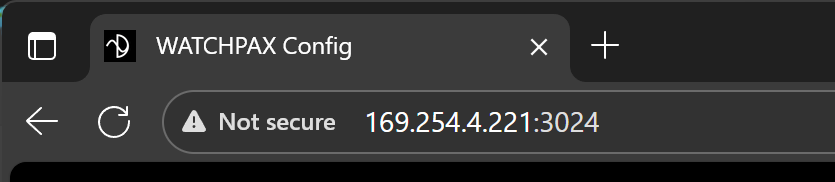
The WATCHPAX Config tool is accessed through a web browser. Keep in mind that the WATCHPAX server and the computer accessing it have to be on the same network, although internet access is not required. Enter the IP address of the WATCHPAX server into the web browsers search field, followed by the port number :3024, as in the following example:
Example: 169.254.4.221:3024
A user interface will be displayed, showing information about all connected outputs. Read more in the Interface chapter.