EDID
SETTING UP EDID EMULATION
Under the GPU tab of the user interface there is the possibility to set up EDID on all of the displays connected to the graphics card. Below are the steps to setting this up:
- Download the EDID from a display.
Select the display in the list and choose the Download EDID option.
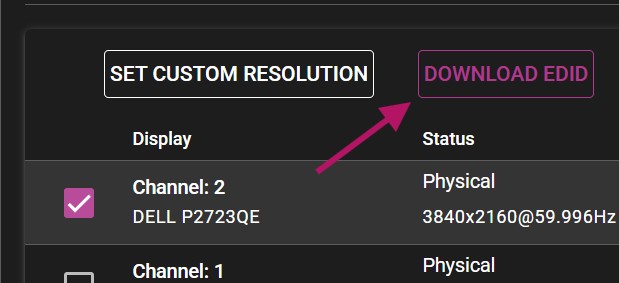
NOTE: The web browser may consider the downloaded file insecure and might require additional actions to approve it.
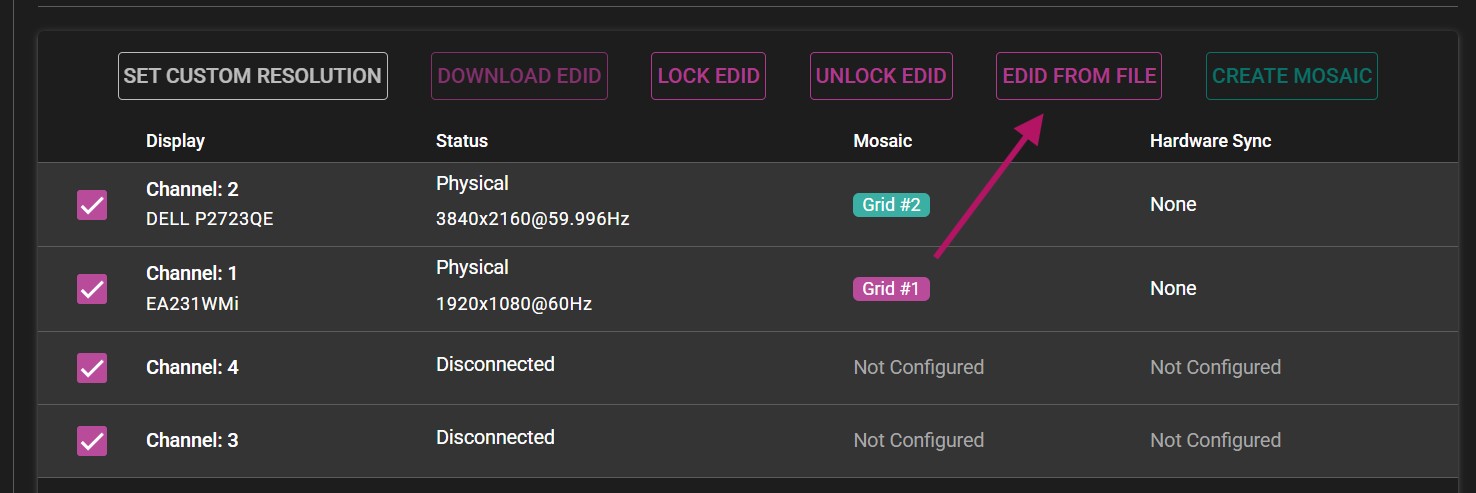
- Select all displays (or however many displays you want to have the EDID on) and choose EDID FROM FILE.
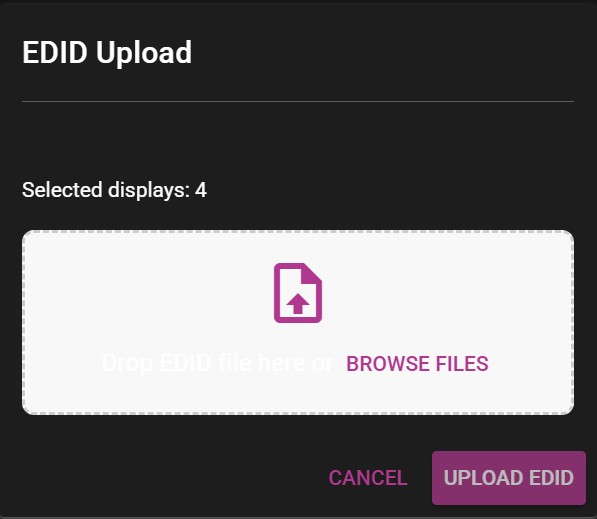
A new menu will appear, allowing you to upload the previously downloaded EDID to all display channels. Browse to the downloaded file, or simply drag and drop the file into the window.
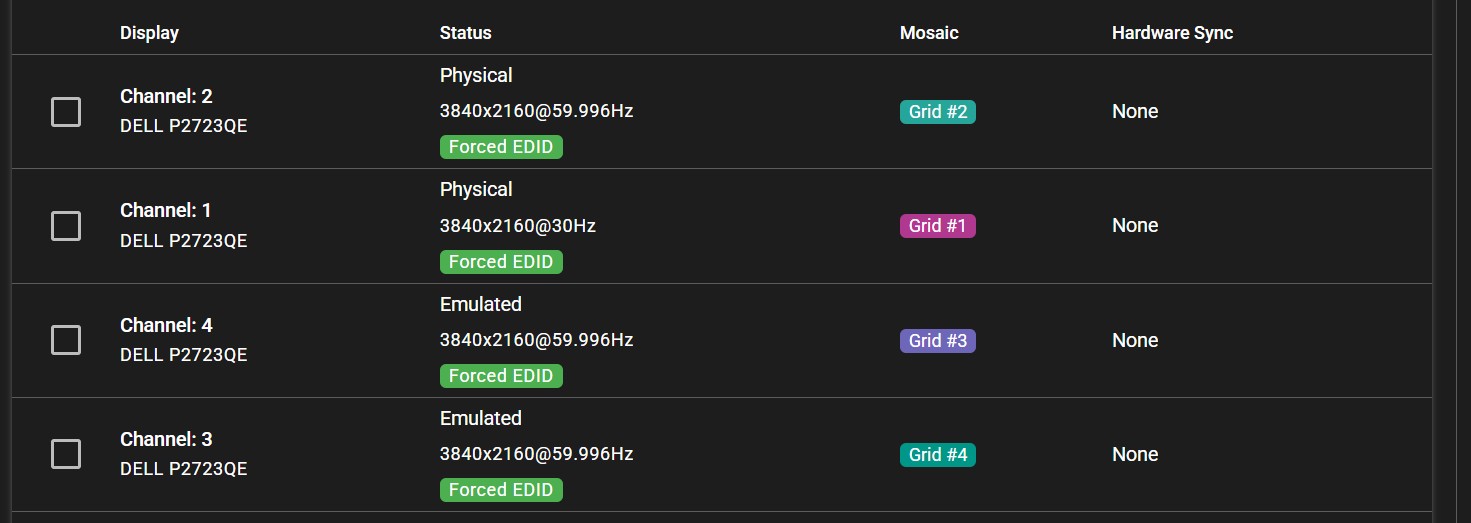
After uploaded the EDID, all channels previously selected will show the Forced EDID label under their status.