
Connectors
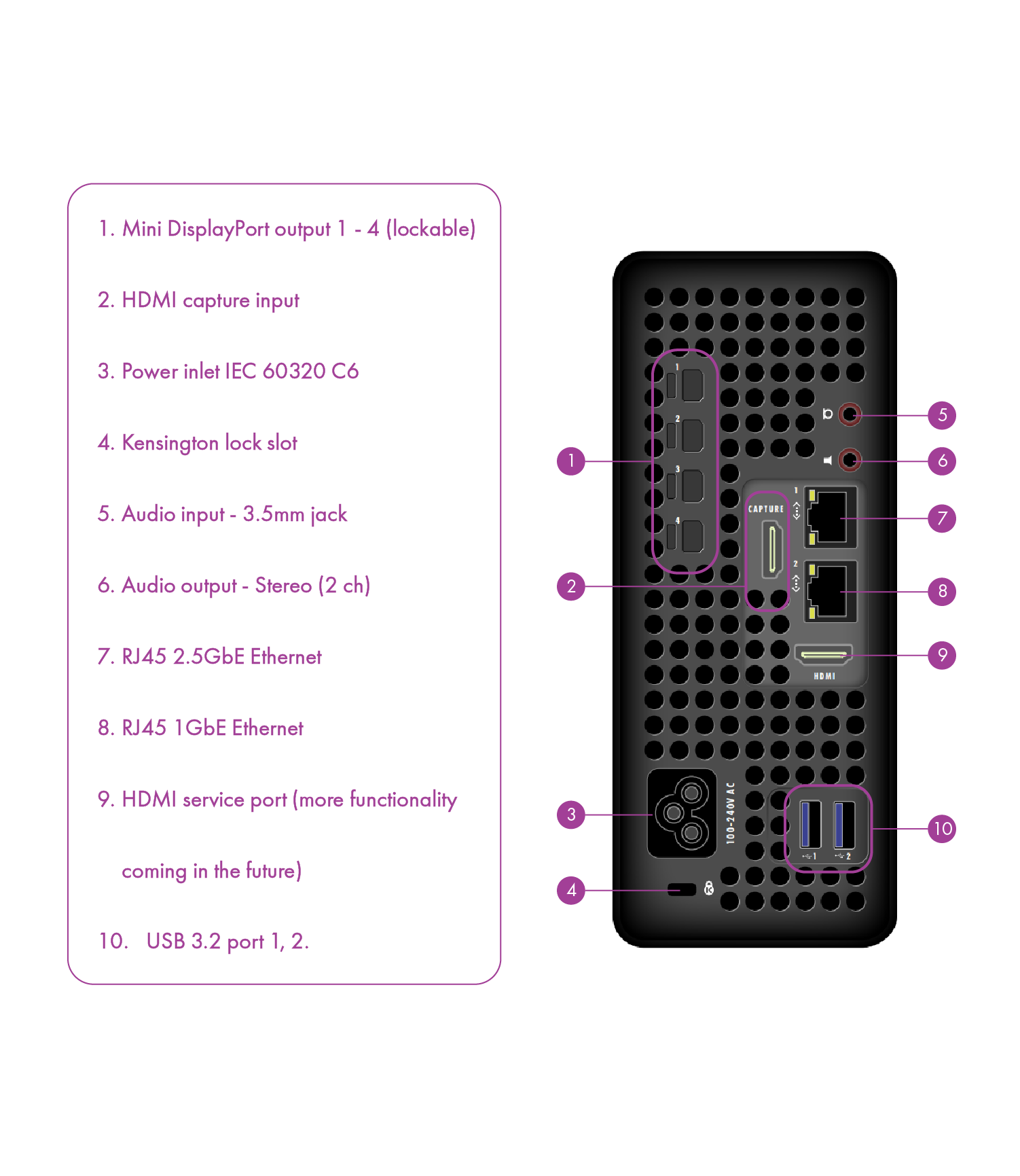
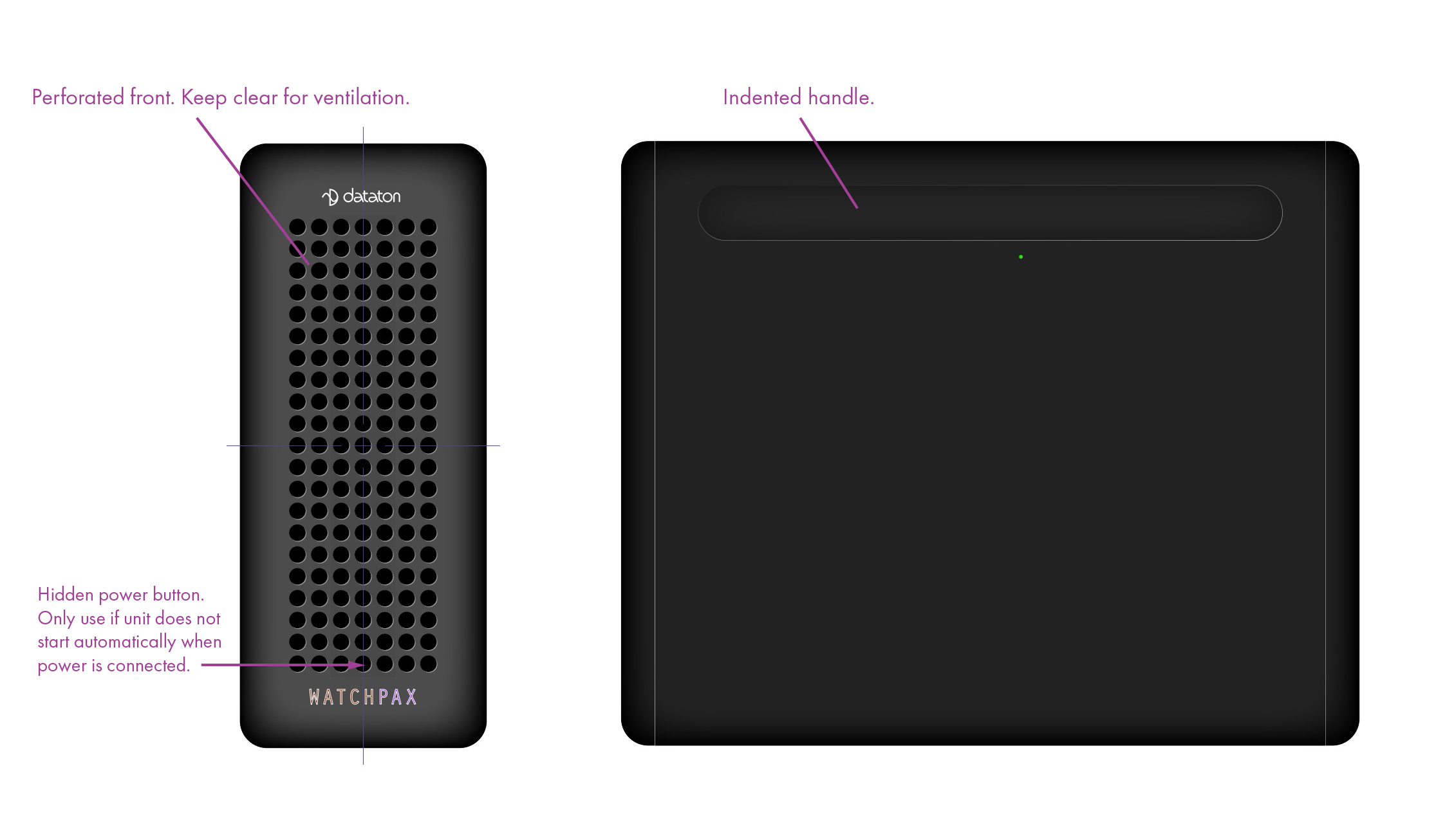
Overview of the WATCHPAX 50 front and rear panel connectors. Use the images below together with the reference information for your unit.
Front Panel
- Hidden power button -- located in the bottom center hole above the WATCHPAX logo. Use a thin pointed object (such as a pen or pencil) to press it. See Installation for when this button is needed.
- Ventilation intake -- perforated area for cooling air intake. Keep this area clear at all times.
Rear Panel Connector Reference
| Connector / Label | Function | Notes |
|---|---|---|
| IEC 60320 C6 power inlet | AC mains power input | 100--240V AC |
| Mini DisplayPort output 1 | Video output channel 1 | Use included MiniDP-to-DP adapter for DisplayPort 1.4 connection |
| Mini DisplayPort output 2 | Video output channel 2 | Use included MiniDP-to-DP adapter for DisplayPort 1.4 connection |
| Mini DisplayPort output 3 | Video output channel 3 | Use included MiniDP-to-DP adapter for DisplayPort 1.4 connection |
| Mini DisplayPort output 4 | Video output channel 4 | Use included MiniDP-to-DP adapter for DisplayPort 1.4 connection |
| RJ45 Ethernet | Network interface | Used for network communication with WATCHOUT Producer and WATCHPAX Config |
| USB ports | Peripheral connection | Keyboard, mouse, USB media |
| 3.5 mm audio jack | Analog stereo audio output | 2-channel stereo sound |