DATATON WATCHPAX 50
USER'S GUIDE
PREFACE
© Copyright 2025 DATATON AB (“Dataton”). All rights reserved.
Dataton, the Dataton logo, WATCHOUT and WATCHPAX are registered trademarks of DATATON AB. All other company and product names are trademarks or registered trademarks of their respective owners. Use of a term in this publication should not be regarded as affecting the validity of any trademark.
Dante is a registered trademark of Audinate Pty Ltd.
NOTCH is a registered trademark of 10 bit FX.
The information in this guide has been carefully checked and is believed to be accurate.
However, Dataton assumes no responsibility for any inaccuracies or errors in this manual or the products described. In no event will Dataton be liable for direct, indirect, special, incidental, or consequential damages resulting from any defect or omission in this manual, even if advised of the possibility of such damages. The technical information contained herein regarding features and specifications is subject to change without notice. Products or manufacturers mentioned do not constitute a recommendation or endorsement by Dataton.
User forum https://forum.dataton.com
Knowledge Base https://knowledge.dataton.com/knowledge
If you have an issue and need to contact the support department, please visit the Help Center and submit a support ticket. https://www.dataton.com/helpcenter
Document version: 3799 2.0
TABLE OF CONTENTS
-
Warranty, Conformity and Disposal
INTRODUCTION
TABLE OF CONTENT
INTRODUCTION TO WATCHPAX 50
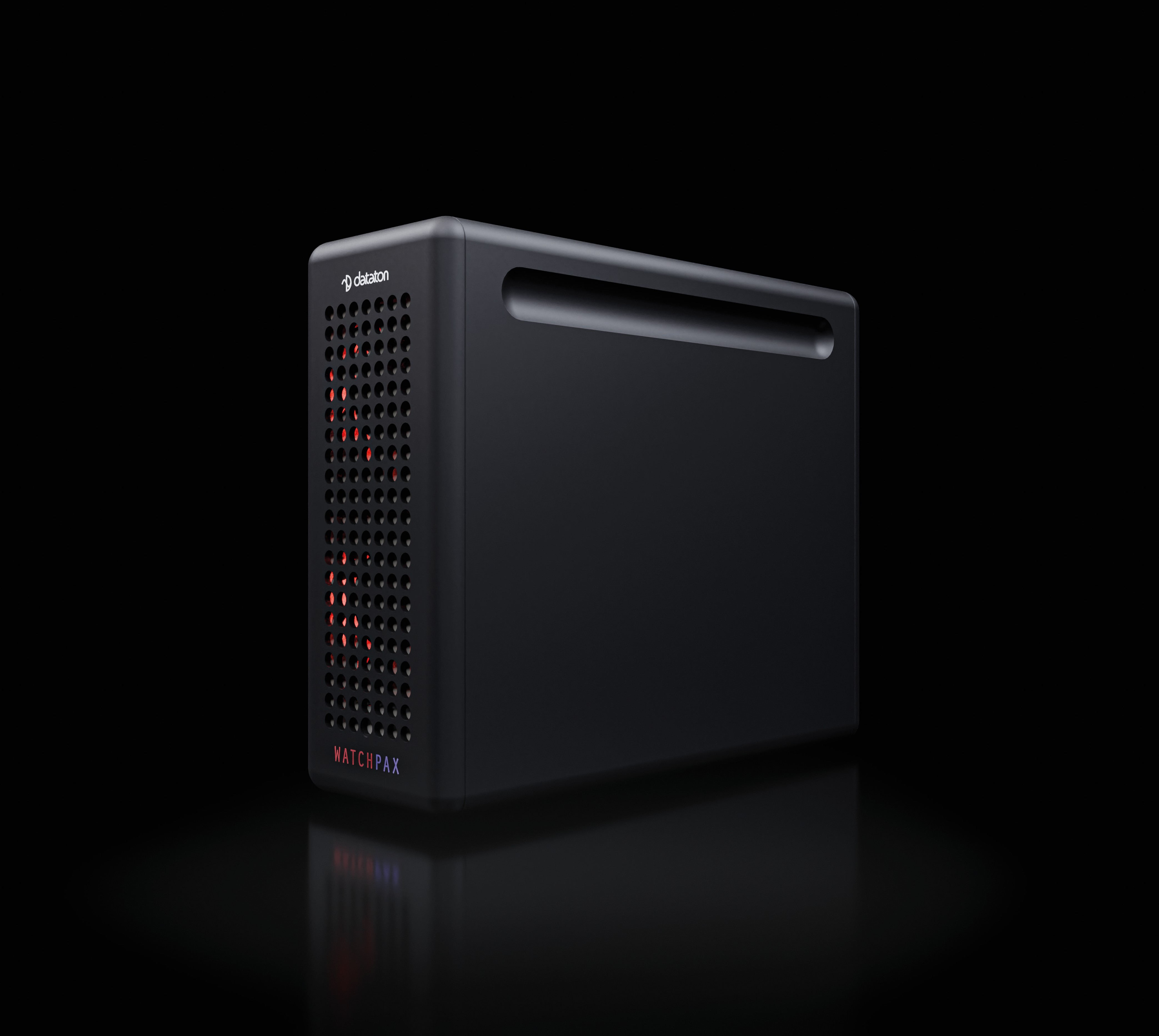
WATCHPAX 50 is a dedicated media server purpose-built to run Dataton WATCHOUT shows. Each unit has a built-in license for WATCHOUT 7, and brings quad-output 4k power in an ultra-compact form factor.
Designed for live events, system integration, and fixed installations, the WATCHPAX 50 unites professional-grade performance, rugged reliability, and plug-and-play simplicity into a sleek 3kg aluminium chassis.
ACCESSORIES
Included:
- 1 x IEC 60320 10A/250V AC power cord with C5 connector
- 4 x MiniDP to DisplayPort 1.4 adapters
- Angle brackets and screws
Available separately:
- Kit for mounting in 19-inch rack
DIMENSIONS
- Width 72 mm
- Height 176 mm
- Depth 215 mm
- Weight approx. 3 kg (6.6 lbs)
POWER
- IEC 60320 C6 power inlet
- Input voltage 100 – 240V AC
- Power consumption max 250 W
START UP SCREEN
IMPORTANT: The WATCHPAX 50 will always run WATCHOUT 7. It is not compatible with WATCHOUT 6.
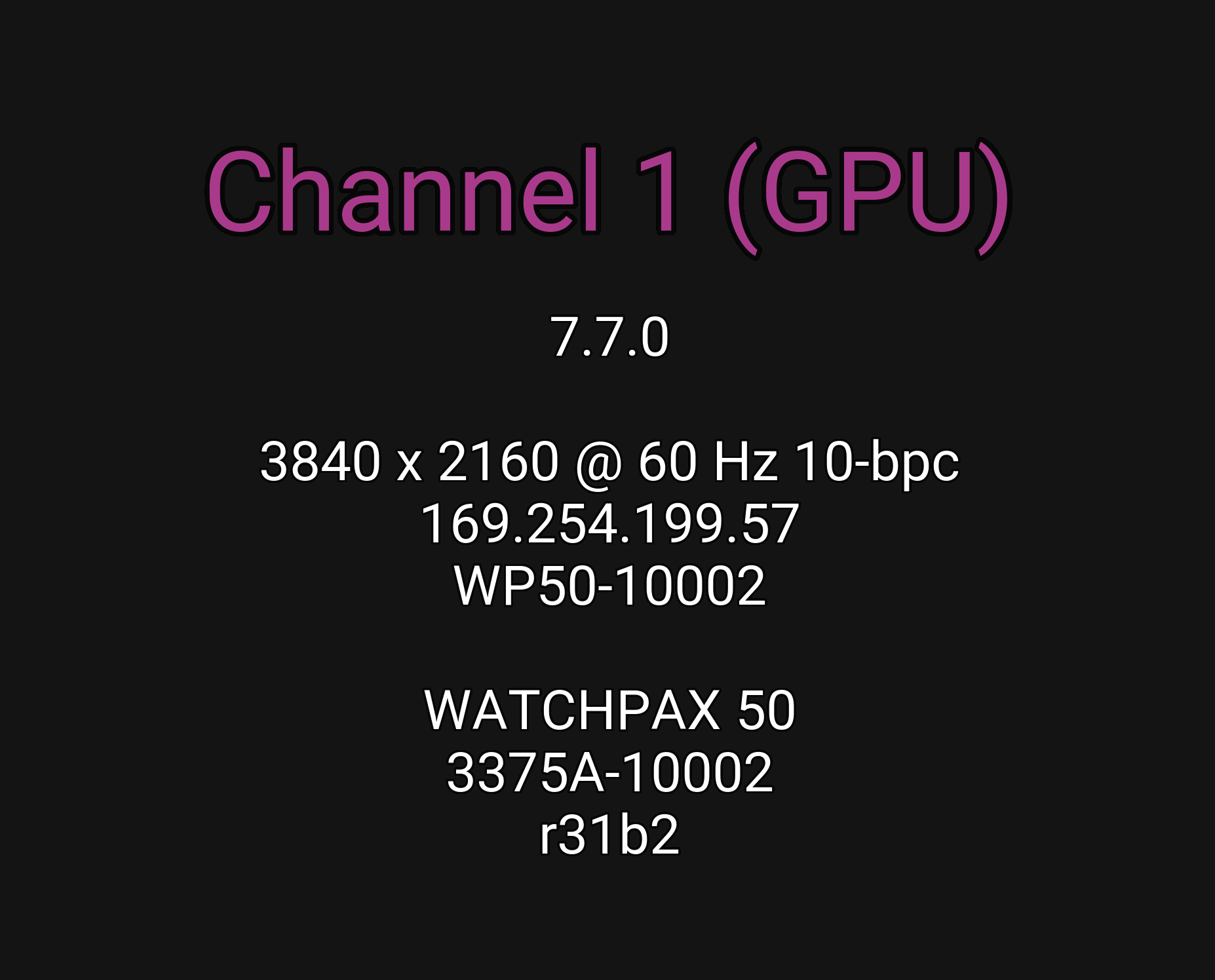
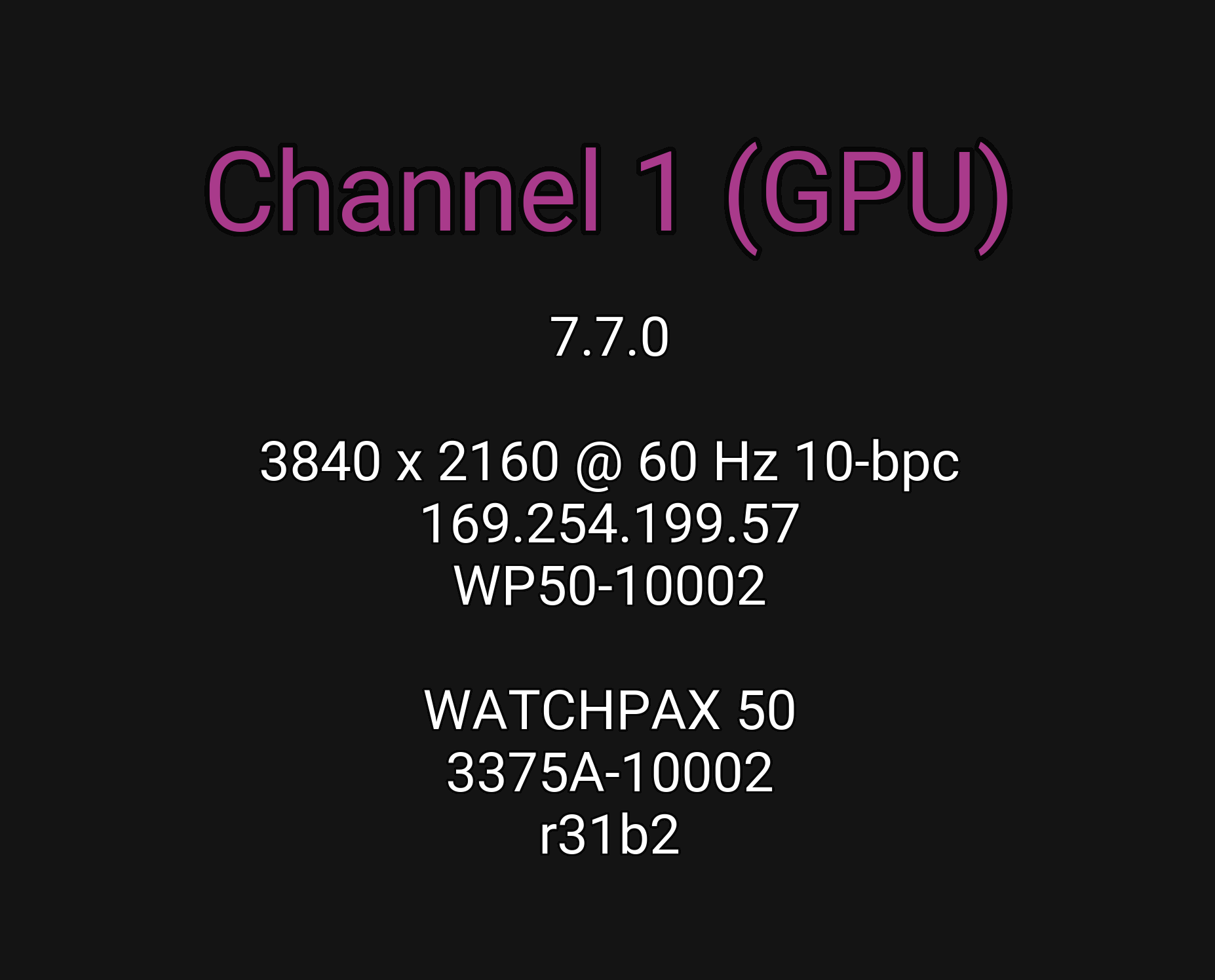
The following screen is shown on all display devices connected to the WATCHPAX 50 at start-up.
ENVIRONMENTAL
Temperature range
- Operating 0°C to +40°C
- Storage and transportation -20°C to +40°C
Relative humidity
- Operating 20% to 85 % (non-condensing)
- Storage and transportation 10% to 90% (non-condensing)
Altitude
- Operating, maximum 2000 meters above sea level
MEDIA SERVER OPERATING SYSTEM
The operating system in WATCHPAX 50 has been optimized and licensed for this specific media server configuration.
NOTE: Do not install or attempt to install any software on the locked-down media server (such as drivers, software updates, security updates, virus protection, etc). Doing so will automatically void the unit's warranty.
For better security, media servers are recommended to be installed and operate on a separate network, without access to other networks.
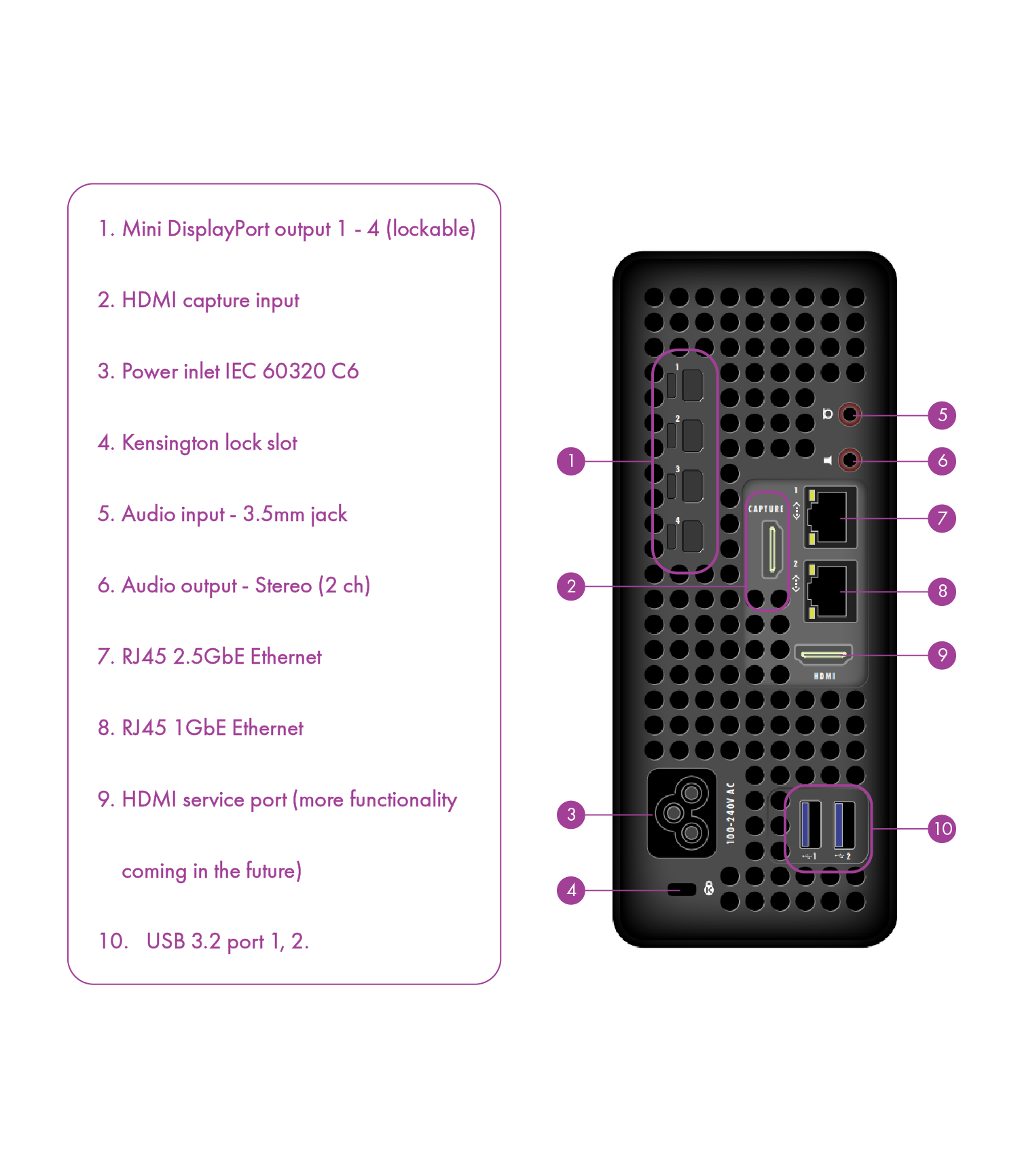
CONNECTORS
INSTALLATION AND OPERATION
TABLE OF CONTENT
BEFORE USING YOUR WATCHPAX 50
Please read the manual thoroughly before operation. Always check that the unit has not been damaged in transit when you take delivery. >IMPORTANT: The WATCHPAX 50 is a plug-and-play unit. Do not open, modify or repair the unit yourself. Opening, modifying (software or hardware) or repairing the unit yourself will invalidate the warranty and presents a risk for the user.
SAFETY FIRST
- Insert the power plug all the way in, so it is not loose.
- Do not place the power cord or product near heat sources.
- Caution: shock hazard if handled carelessly or inaccurately.
- The unit shall be connected to a grounded outlet.
- Do not use a damaged power cord or plug.
- Do not touch the power plug with wet hands.
- Do not install the product in a narrow space and/or where there is bad ventilation. Do not block the ventilation in any way when operated.
- Always keep plastic packaging away from children.
- Do not install the product on an unstable or vibrating surface.
- Install the unit in a clean, dry area without excessive particles or dust, in the air (preferably in an air-conditioned server room). Do not install the product in a place where it is exposed to high temperature, chemicals, dust, moisture, oil or smoke as this may seriously affect its performance and lifetime.
- Take care not to drop the product when moving it.
- When installing the product on a shelf, ensure the bottom edge of the product does not protrude to avoid tipping, for example.
- To move the product, first disconnect all the cables from it.
- The wall socket should be easily accessible for pluggable equipment.
- High voltage runs through the product. Do not attempt to disassemble, repair, or modify the product on your own.
- If the product generates a burning smell, or smoke, remove the power cords immediately and contact Dataton.
- If the product falls, or the exterior is damaged, power off the product, remove the power cords and contact Dataton.
- If there is a risk of thunderstorm or lightning strike, turn off the power and disconnect all cables.
- Do not insert a metallic object or inflammable object into any opening of the product.
- Unplug this product from the AC power supply before cleaning. Do not use liquid or aerosol cleaners on the product. Use a microfiber cloth for cleaning.
- After storage in cold conditions, let the product adapt to normal temperature for two hours before powering on.
VENTILATION
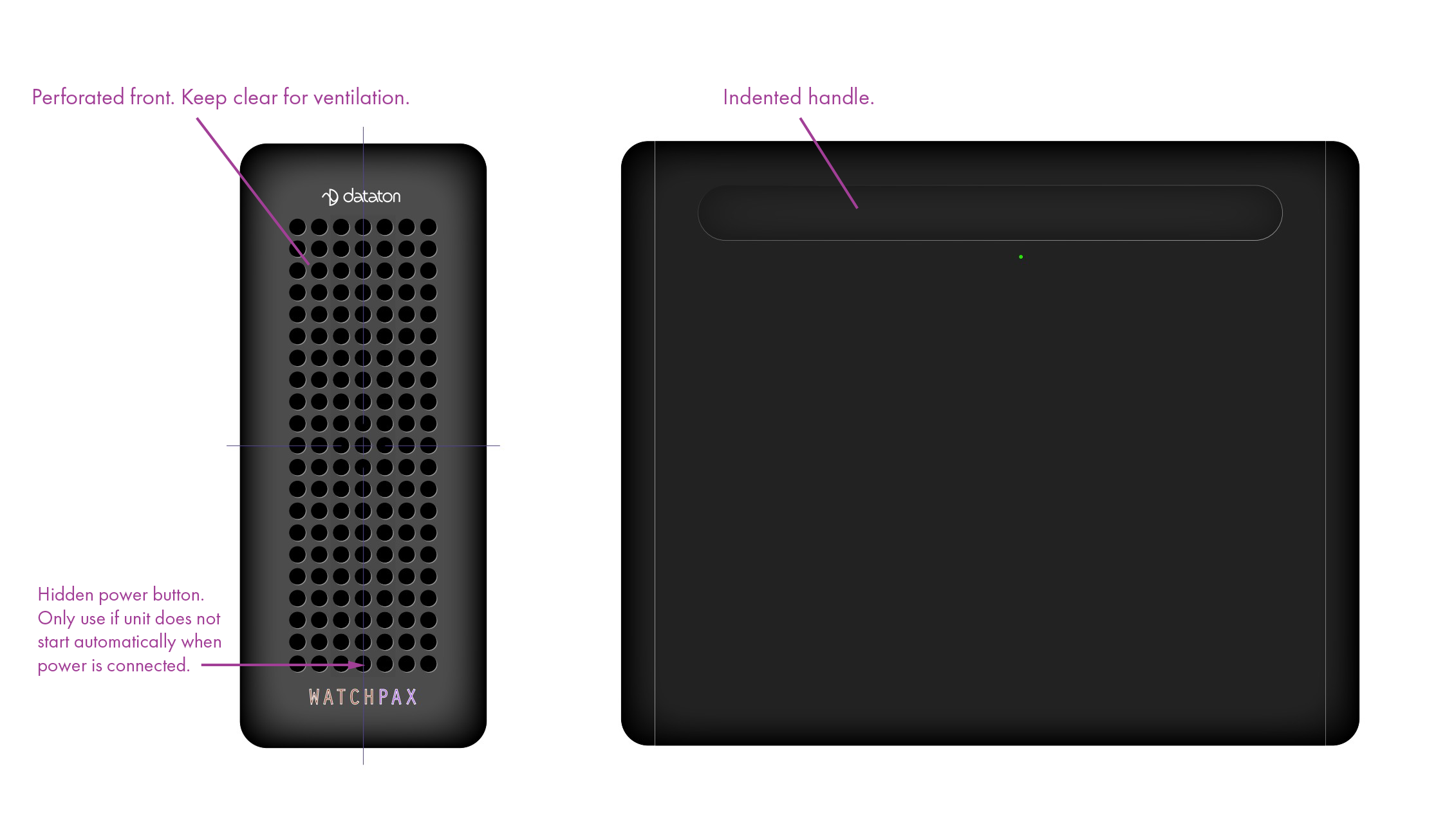
Airflow is critical for the correct operation of WATCHPAX 50. Do not block front or back of the unit. In any installation, there should always be a minimum of 200 mm clear space at front and 200 mm behind the unit.
Product picture showing air inlet and outlet
INSTALLATION
GENERAL
- This equipment is for professional use for installation at locations where only adults are normally present. Check the "Safety First" list before use.
- The WATCHOUT 50 must be connected to a properly grounded wall socket (a socket-outlet with protective earth connection in the building).
- The serial number is located on the base of the unit.
IMPORTANT: Only use the power cord supplied with the WATCHPAX 50 unit, otherwise Dataton AB cannot guarantee full functionality.
STANDALONE INSTALLATION
Place the unit flat with the base down. Mount the four self-adhesive rubber feet (supplied) at the points indicated on the base of the unit.
INSTALLATION IN 19-INCH RACK
The WATCHPAX 50 unit may be mounted in a 19-inch rack by using the optional rack mounting kit. Another WATCHPAX 50 unit (for a total of 2 units) will fit in the rack mounting kit. Please refer to separate instructions for rack assembly.
POWER ON
The WATCHPAX 50 unit is automatically switched on by inserting the power cord. However, if for some reason it does not power on automatically, there is a hidden power button on the front of the unit. The button is located in the bottom center hole above the WATCHPAX logo (see Connectors in the Introduction) and to press it you will need a thin portruding object of some sort (for example a pen or pencil).
FIRST POWER ON
The first time you power up a WATCHPAX 50 (after delivery or after a reset) the system will finalize installation and reboot several times. This procedure will typically take about 5 minutes to complete.

IMPORTANT: Do not interrupt this procedure.
POWER OFF
Powering down should be initiated from within WATCHOUT Producer software.
When the power-off sequence is complete, the fans will turn off, and the power cord may be removed.
To power the unit down from within the WATCHOUT 7 Producer software, do the following: In the Nodes window, right click on your display device (the WATCHPAX 50 in this case) and select Shutdown. For more information, please refer to chapter 9.1: Node List in the "WATCHOUT 7 User's Guide".
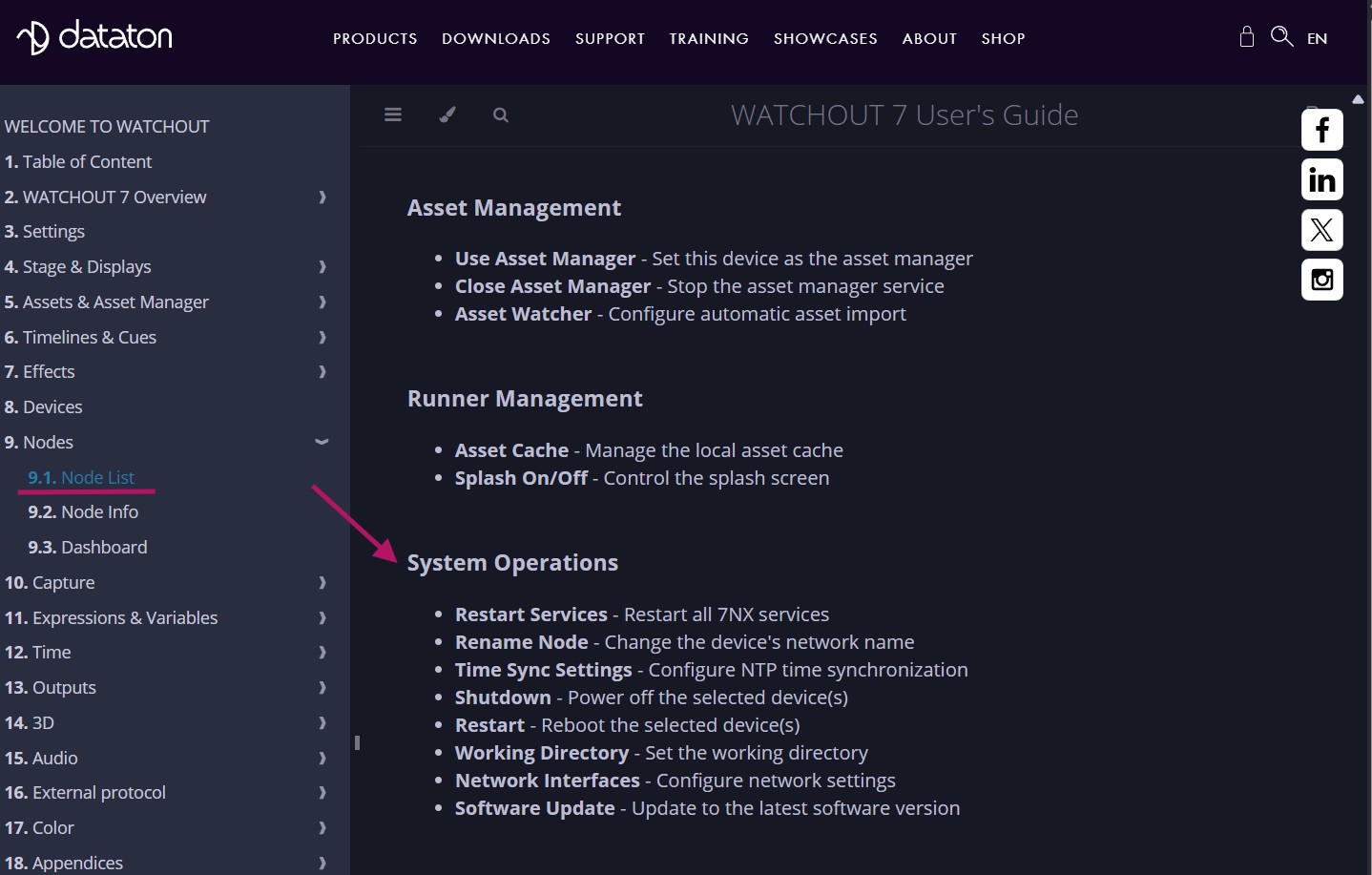
It is also possible to power the unit down from WATCHPAX Config, a network-based UI.
NOTE: If you are unable to shut down via the software, you can as a last resort power the unit down by unplugging the power cord.
IMPORTANT: Do not unplug the power cord during power-off, as this may cause data loss and system corruption.
QUICK START
- Connect displays to the WATCHPAX 50 using the MiniDP outputs.
- Connect the WATCHPAX 50 to the network using one of the Ethernet ports.
- Power on the WATCHPAX 50 by plugging in the power cord.
- Start the WATCHOUT Producer software on the production computer, which is on the same network. Make sure you are using WATCHOUT version 7.
RESET WATCHPAX 50
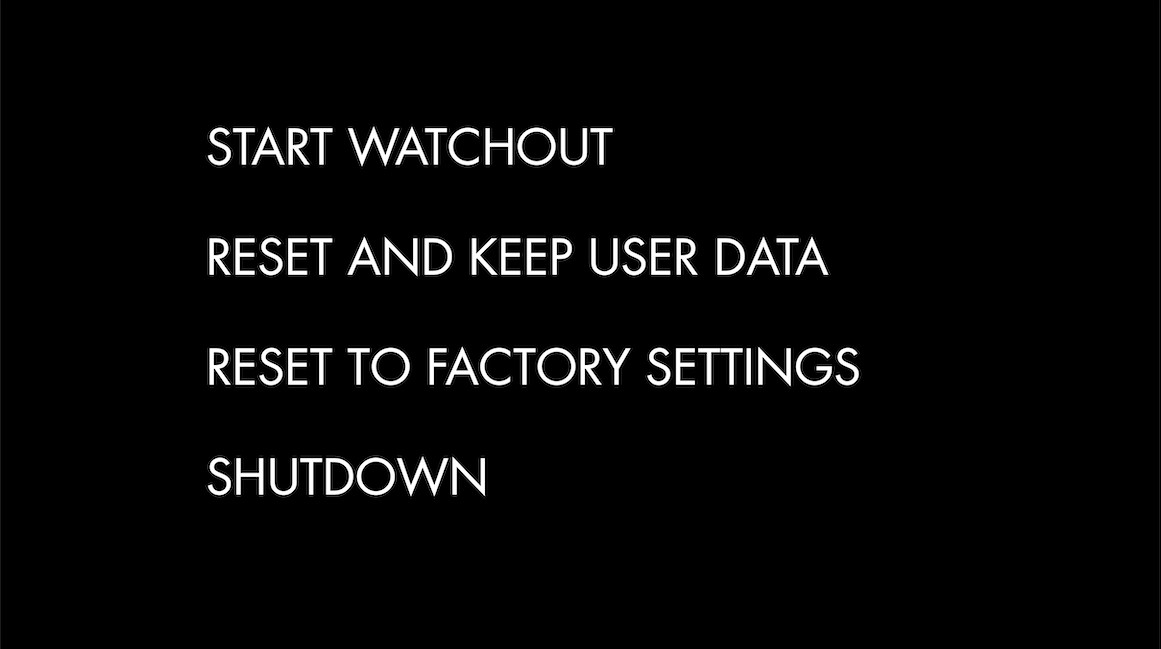
There are occasions when you may want to reset a WATCHPAX 50, for example, if the unit has been corrupted, or if it is a rental unit and user-specific info has to be removed between rentals. There are two levels of reset:
- Reset and keep user data. This resets the operating system, display, GPU and capture settings but retains user data, such as shows and media.
- Reset to factory settings. This takes the unit all the way back to the original factory settings and you lose all user data.
IMPORTANT: A reset, regardless of level, is an advanced measure. Make sure you are fully aware of what data you lose when you reset!
RESET AND KEEP USER DATA
This option resets the system partitions but keeps all user data such as:
- Shows
- Media
- WATCHOUT settings
- Startup script
- Network settings
- Timecode settings
Driver-related settings will be reset to default factory settings such as:
- Display settings
- Display mode
RESET TO FACTORY SETTINGS
This resets all partitions to factory settings and all user data will be lost. This level of reset is suitable when you want to remove all settings between projects.
RESET PROCEDURE
The reset menu is hidden by design in order to avoid accidental resets or misuse. To reset your WATCHPAX 50 device, follow these steps:
- Power off the WATCHPAX 50 and unplug the power cord.
- Disconnect any USB devices.
- Now connect a keyboard to one of the USB ports.
- Connect at least one display device to a miniDP output.
- Power on the WATCHPAX 50 by plugging in the power cord.
- During startup, you will see a five-second countdown in the top left corner of the display. Press Esc during this countdown.

NOTE: If you don't see a counter, it means the display device is slow to lock to the output. In that case, press Esc repeatedly after power-on to move to the menu below.
- Select the desired reset option in the menu that appears, and press Enter.
IMPORTANT: There will be no confirmation – the reset process starts immediately!
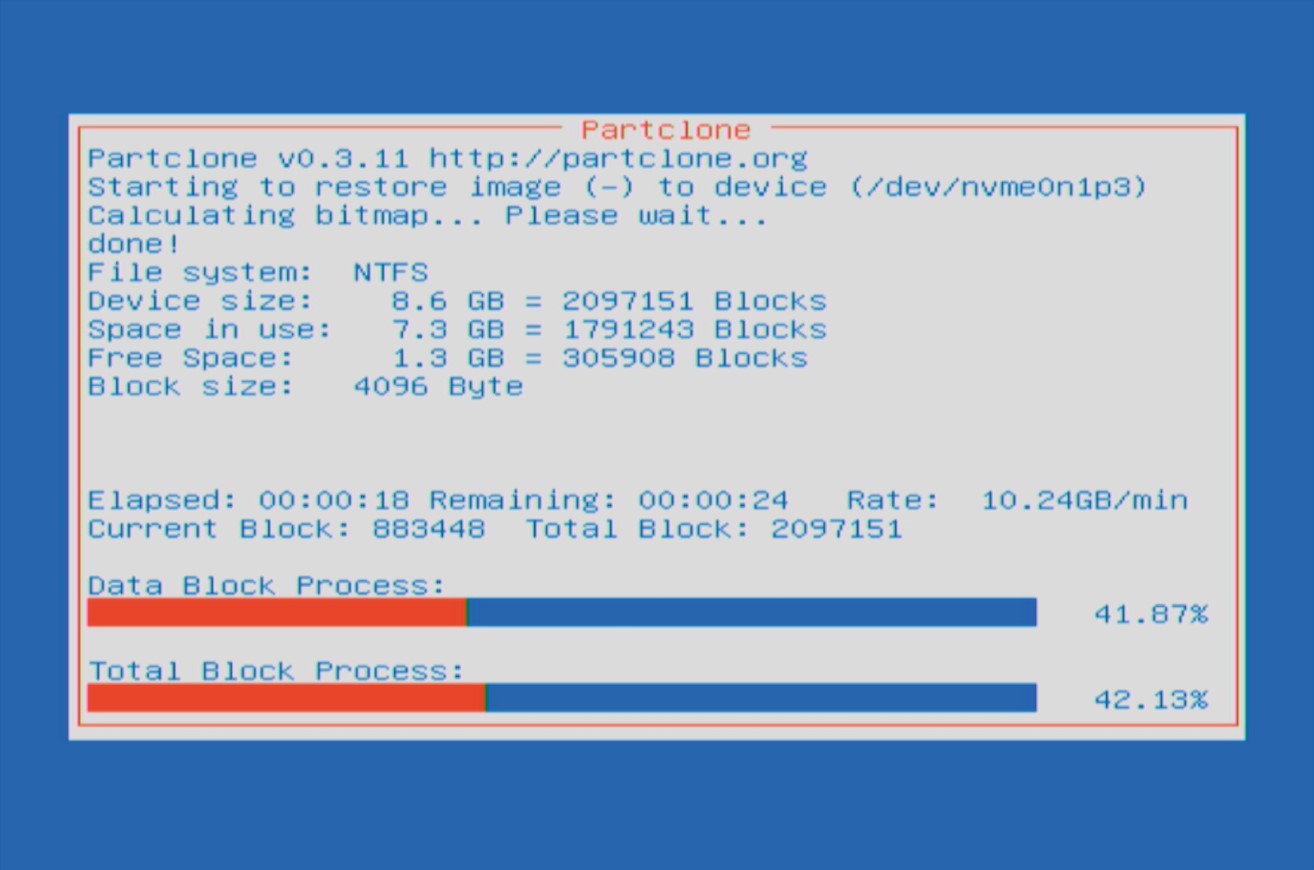
- As noted above, the reset process starts immediately, providing some visual feedback.
- The WATCHPAX 50 will restart several times in order to configure the operating system and hardware.

IMPORTANT: Do not power off the unit during the configuration process!
- WATCHOUT will start when the process is complete. The system image version will be appended after the serial number.
MISCELLANEOUS
AUDIO
The WATCHPAX 50 has 3 ways to output audio:
- A 3.5mm audio jack - 2 channels stereo sound.
- DisplayPort - Currently 2 channels.
- Dante® - Sound over ethernet (requires a license).
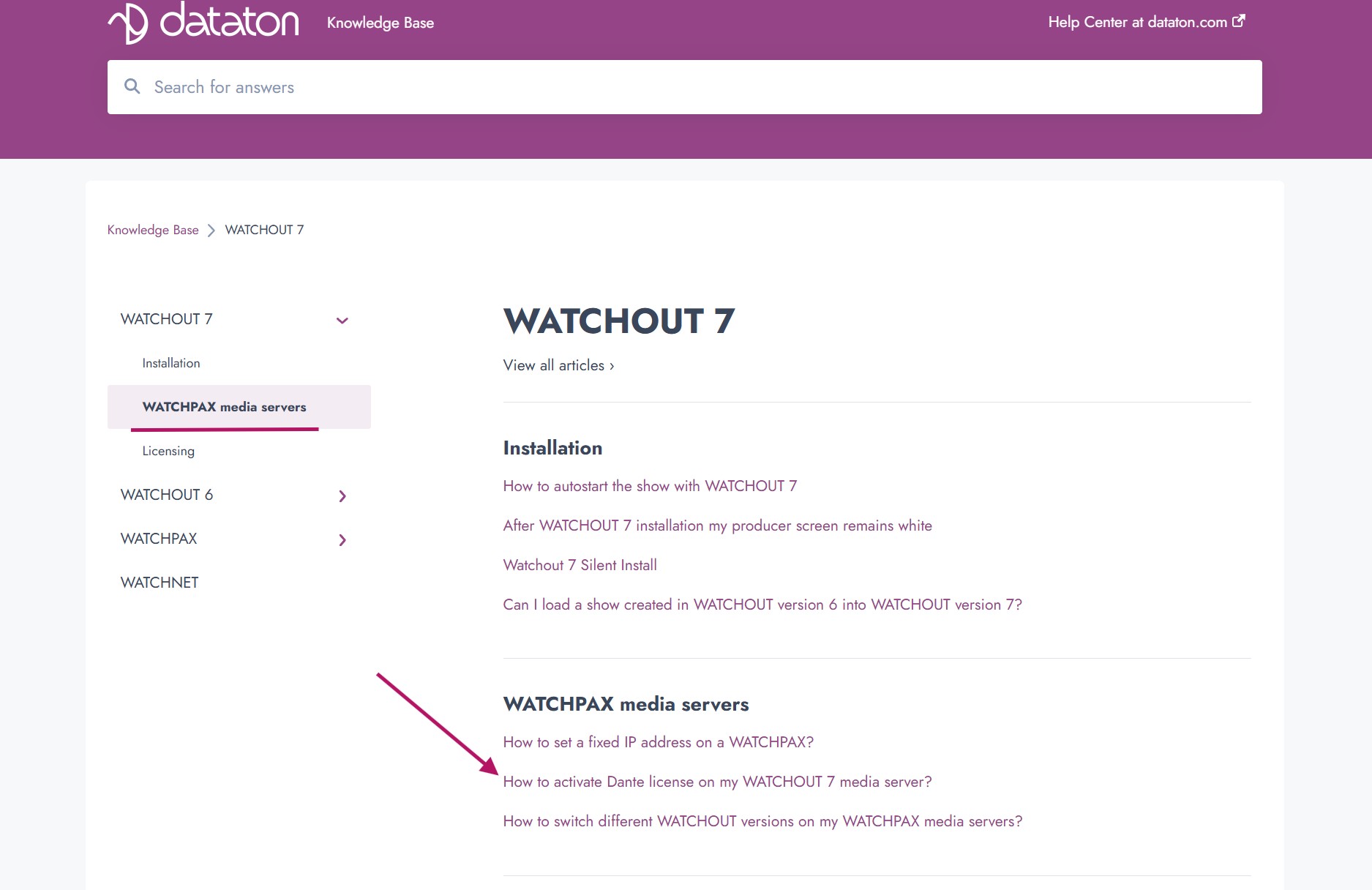
The WATCHPAX 50 is Dante® ready, meaning that a Dante® license can be purchased and activated on the unit, by the user. Instructions for this can be found in the knowledge base on the Dataton website.
Note: When Dante® is activated on the WATCHPAX unit, a license is created on the disk. At each startup, this license is being safety copied to the recovery partition, meaning that even if a factory reset is done on the server, the Dante® license will persist.
Digital audio output formats:
DIGITAL AUDIO OUTPUT RATES
- 44.1 kHz
- 48 kHz
- 88.2 kHz
- 96 kHz
- 176.4 kHz
- 192 kHz
WATCHPAX Config
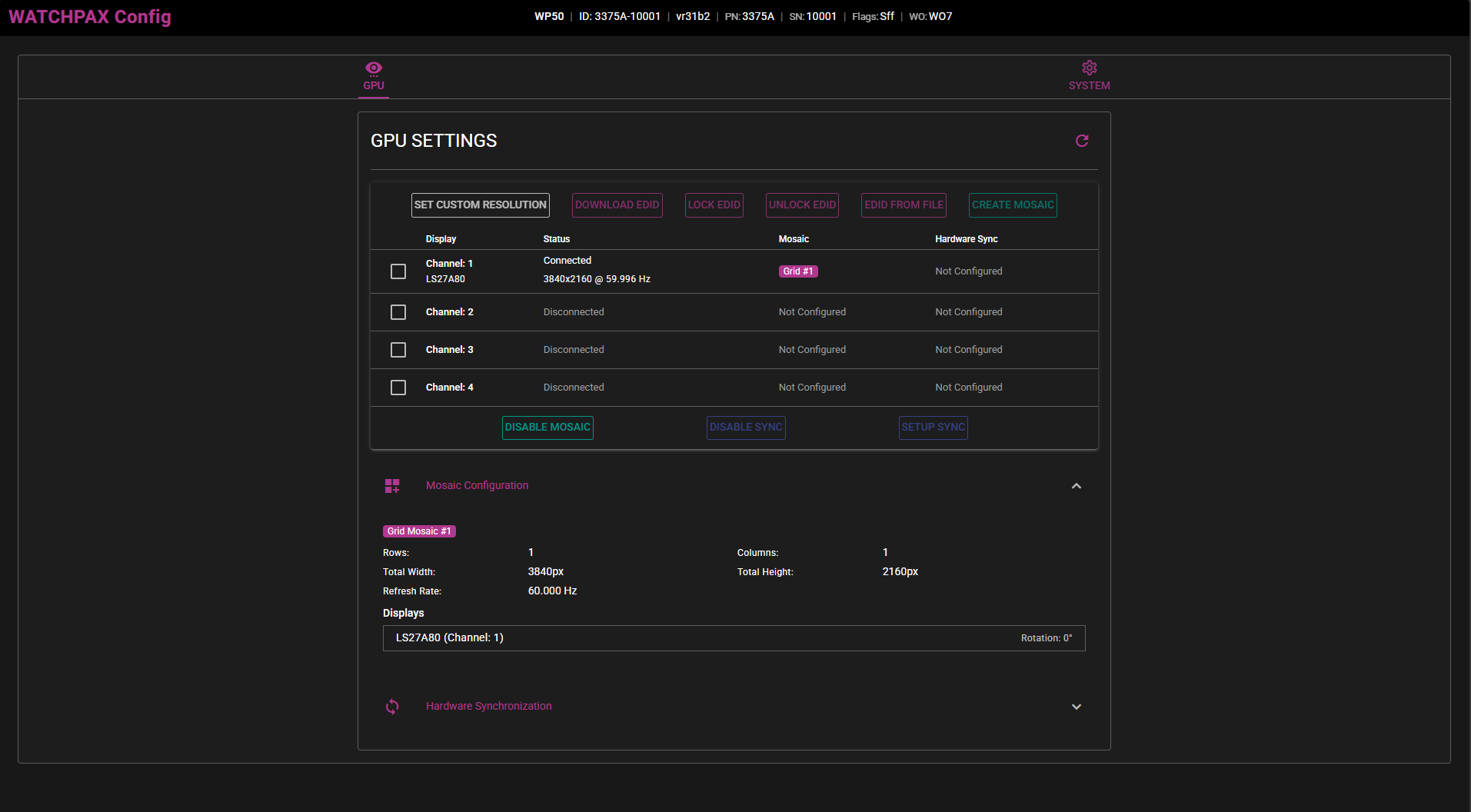
WATCHPAX Config is a user interface that can be accessed and utilized through a web browser, so long as the WATCHPAX 50 and the computer running the Producer software are on the same network. To access the user interface, enter the ip address of the WATCHPAX 50, followed by ":3024" into the web browser's search bar (e.g. 192.168.5.64:3024).
In this user interface you can access different settings, such as mosaic configurations, EDID read/capture, the GPU topology and display configurations. For more info on how to set these features up, see the WATCHPAX Config User's Guide.
Network settings can also be accessed from WATCHPAX Config, for setting of static IP addresses.
WARRANTY, CONFORMITY AND DISPOSAL
TABLE OF CONTENT
LIMITED WARRANTY
DATATON AB (”Dataton”) DATATON AB (”Dataton”) warrants this hardware product against defects in materials and workmanship for a period of seven hundred and thirty (730) days from the date of original retail purchase.
If you discover a defect, Dataton will, at its option, repair, replace, or refund the purchase price of this product at no charge to you, provided you return it during the warranty period, in the original packaging, transportation charges pre-paid, to the authorized Dataton vendor from whom you purchased it, any other authorized Dataton sales point in the country of the original retail purchase or to Dataton itself. More information is available from Dataton AB, see address.
When returning an item, you are advised to first contact the vendor or Dataton. You should then fill in the RMA (Return Merchandise Authorization) form available on www.dataton.com stating your name, address, contact details, a description of the problem, serial numbers and point of purchase. Dataton also requires a copy of the bill of sale or packing list bearing the appropriate Dataton serial numbers (where applicable) as proof of the date of original retail purchase.
This warranty applies only to hardware products manufactured by Dataton AB which are labeled with the Dataton logo and returned in the original packaging. This warranty does not apply if the product has been damaged by accident, abuse, misuse or misapplication, nor if the product has been opened or modified without the written permission of Dataton, nor if any serial number has been removed or defaced.
All implied warranties, including implied warranties of merchantability and fitness for a particular purpose, are limited in duration to seven hundred and thirty (730) days from the date of original retail purchase of this product. The warranty and remedies set forth above are exclusive and in lieu of all others, oral, written, express or implied.
No Dataton dealer, agent or employee is authorized to make any modification, extension or addition to this warranty (see note on extended warranty below).
Dataton is not responsible for special, incidental or consequential damages resulting from any breach of warranty, or under any legal theory, including lost profits, downtime, goodwill, damage to or replacement of equipment and property, and any costs of recovering, reprogramming or reproducing any program or data stored in or used with Dataton products.
If extended warranty terms have been agreed with Dataton at purchase, proof shall be presented.
Dataton AB • Teknikringen 22 • SE 583 30 LINKÖPING • Sweden
Email: [email protected]
DECLARATION OF CONFORMITY
Product name: WATCHPAX 50
Model number: 3375
Description: Media server
Responsible manufacturer: Dataton AB
Address: Teknikringen 22, SE-583 30 Linköping, Sweden
Dataton AB hereby declares that the product listed above, to which this Declaration of Conformity relates, complies with the standards and regulations below:
FCC – Complies with
-
FCC Regulations Title 47 Chapter 1, Part 15, subpart B, Class A:
§15.107: Conducted Emission, AC power line
§15.109: Radiated Emission
CE – Complies with
EMC Directive 2014/30/EU
-
Emission according to EN 55032:2015, Class A, +A11:2020
Electromagnetic compatibility of multimedia equipment
-
Emission according to EN 61000-3-2:2014
Limits for harmonic current emissions (equipment input current > 16 A per phase)
-
Emission according to EN 61000-3-3:2013
Limitation of voltage changes, voltage fluctuations and flicker in public low-voltage supply systems Immunity according to EN 55035:2017, Edition 2 Immunity characteristics - Information technology equipment
Low Voltage Directive 2014/35/EU
-
EN 62368-1:2014
Audio/video, information and communication technology equipment - Part 1: Safety requirements
RoHS Directive 2011/65/EU
-
EN IEC 63000:2018
Technical documentation for the assessment of electrical and electronic products with respect to the restriction of hazardous substances
WEEE – Complies with
-
Directive 2012/19/EU
Waste from electrical and electronic equipment
Linköping, May, 2024
Björn Sandlund - Founder and owner
DISPOSAL
Only for European Union and EEA (Norway, Iceland and Liechtenstein)
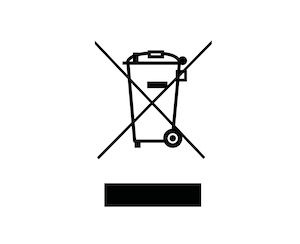
This symbol indicates that this product is not to be disposed of with your household waste, according to the WEEE Directive (2012/19/EU), the Battery Directive (2006/66/EC) and/or national legislation implementing those Directives. If a chemical symbol is printed beneath the symbol shown above, in accordance with the Battery Directive, this indicates that a heavy metal (Hg = Mercury, Cd = Cadmium, Pb = Lead) is present in this battery or accumulator at a concentration above an applicable threshold specified in the Battery Directive.
This product should be handed over to a designated collection point, e.g., on an authorized one-for-one basis when you buy a new similar product or to an authorized collection site for recycling waste electrical and electronic equipment (EEE) and batteries and accumulators. Improper handling of this type of waste could have a possible impact on the environment and human health due to potentially hazardous substances that are generally associated with EEE. Your cooperation in the correct disposal of this product will contribute to the effective usage of natural resources.
For more information about the recycling of this product, please contact your local city office, waste authority, approved scheme or your household waste disposal.